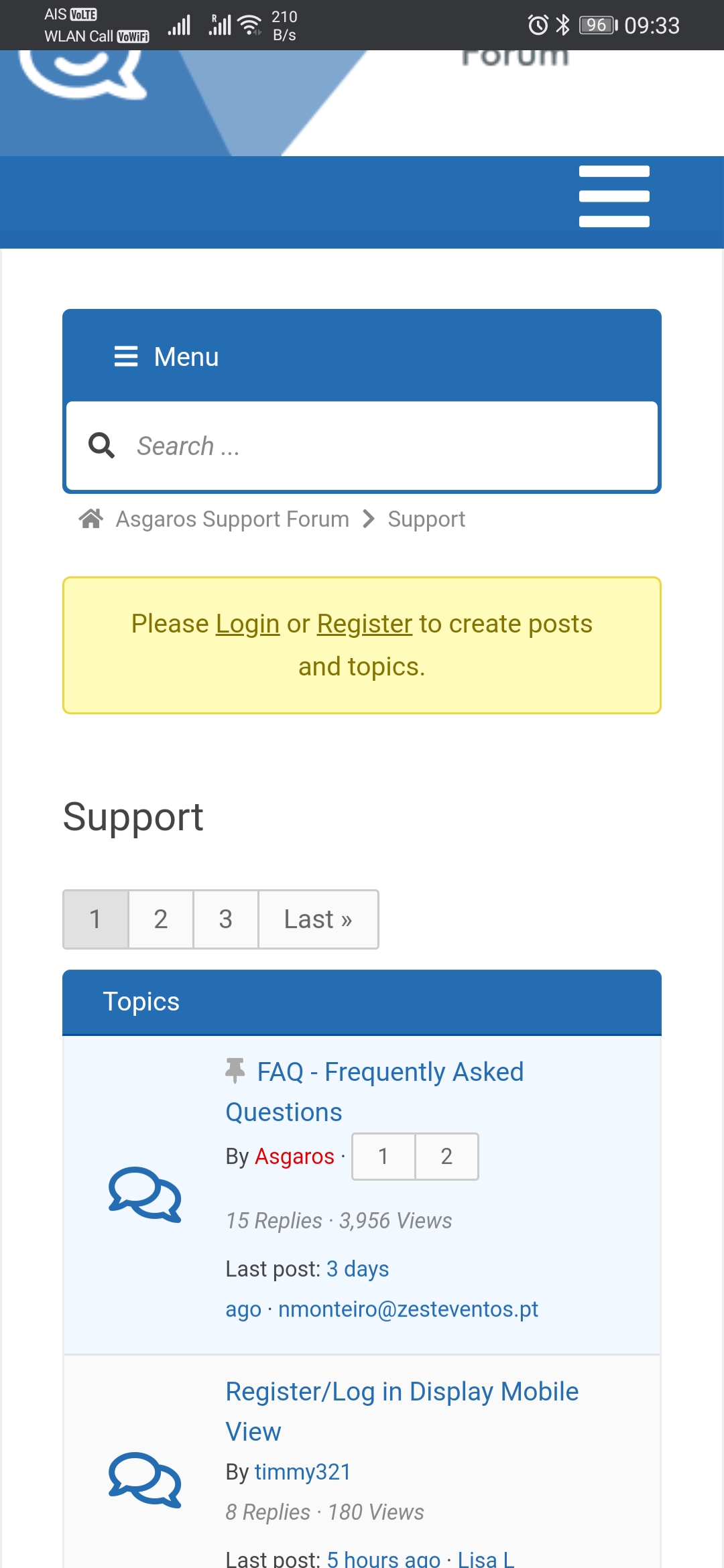
Register/Log in Display Mobile View

Quote from timmy321 on July 13, 2020, 2:50 pmHi,
Is there any chance the option to register or log in could be placed next to the message ‘sorry, only logged in users can access this forum’ on mobile view?
I ask because it’s being noted to me by users that it could be easier to identify how to register with the forum in mobile view, as currently you have to find the hamburger menu in the forum, then register from there. Users are tending to navigate to the header menu on mobile views then struggling to find out how to register.
Any help would be greatly appreciated, this is a great plugin!
Thanks,
Tim
Hi,
Is there any chance the option to register or log in could be placed next to the message ‘sorry, only logged in users can access this forum’ on mobile view?
I ask because it’s being noted to me by users that it could be easier to identify how to register with the forum in mobile view, as currently you have to find the hamburger menu in the forum, then register from there. Users are tending to navigate to the header menu on mobile views then struggling to find out how to register.
Any help would be greatly appreciated, this is a great plugin!
Thanks,
Tim
Quote from timmy321 on July 13, 2020, 7:41 pmI’ve trawled through all the topics in case someone else has asked the question and I haven’t found a similar one yet 🙂
I thought a screenshot of the mobile view/what the issue is may help 🙂
Many thanks in advance,
Tim
I’ve trawled through all the topics in case someone else has asked the question and I haven’t found a similar one yet 🙂
I thought a screenshot of the mobile view/what the issue is may help 🙂
Many thanks in advance,
Tim
Uploaded files: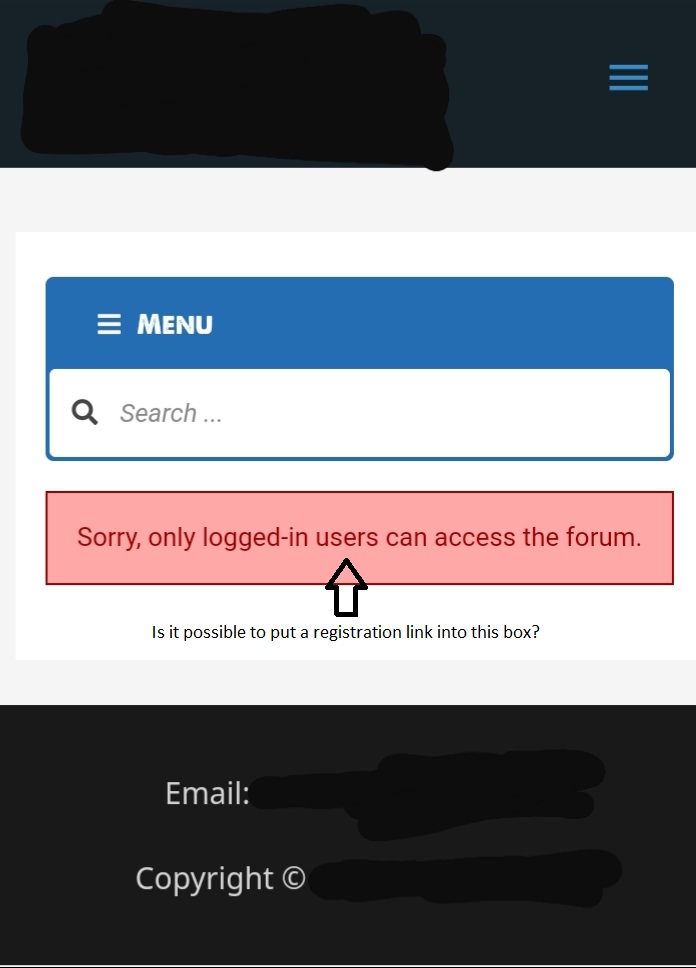

Quote from Asgaros on July 16, 2020, 3:55 amHello @timmy321
Yes, this is a good idea! I put it on my todo-list:
Hello @timmy321
Yes, this is a good idea! I put it on my todo-list:
Quote from timmy321 on July 16, 2020, 7:26 pmThat’s excellent, much appreciated!
Also, is this something that I could fix myself with a bit of code somewhere until an update is developed? Bearing in mind I’m not the most computer savvy individual, yet! 🙂
Timmy
That’s excellent, much appreciated!
Also, is this something that I could fix myself with a bit of code somewhere until an update is developed? Bearing in mind I’m not the most computer savvy individual, yet! 🙂
Timmy
Quote from Asgaros on August 4, 2020, 4:52 amHello @timmy321
I will include this enhancement in the next update which will be released latest next week.
Hello @timmy321
I will include this enhancement in the next update which will be released latest next week.
Quote from timmy321 on August 7, 2020, 10:55 pmHi Asgaros,
Excellent! A big thanks for that!
I’ve actually been following your GitHub between Qualmy91 which has been very interesting! I have never edited anything in the actual .php folders (I didn’t even know how to access them!). But now I know as I’ve tried putting in Qualmy91’s new code into the forum.php folder!
Although I feel I’ve done something wrong as the login/register link is above the header in the top left of the page instead of the notice box 🙂
So I eagerly await your update and hope that if I update the plugin it will override my mistakes? 🙂
Kind regards,
Timmy
Hi Asgaros,
Excellent! A big thanks for that!
I’ve actually been following your GitHub between Qualmy91 which has been very interesting! I have never edited anything in the actual .php folders (I didn’t even know how to access them!). But now I know as I’ve tried putting in Qualmy91’s new code into the forum.php folder!
Although I feel I’ve done something wrong as the login/register link is above the header in the top left of the page instead of the notice box 🙂
So I eagerly await your update and hope that if I update the plugin it will override my mistakes? 🙂
Kind regards,
Timmy
Uploaded files: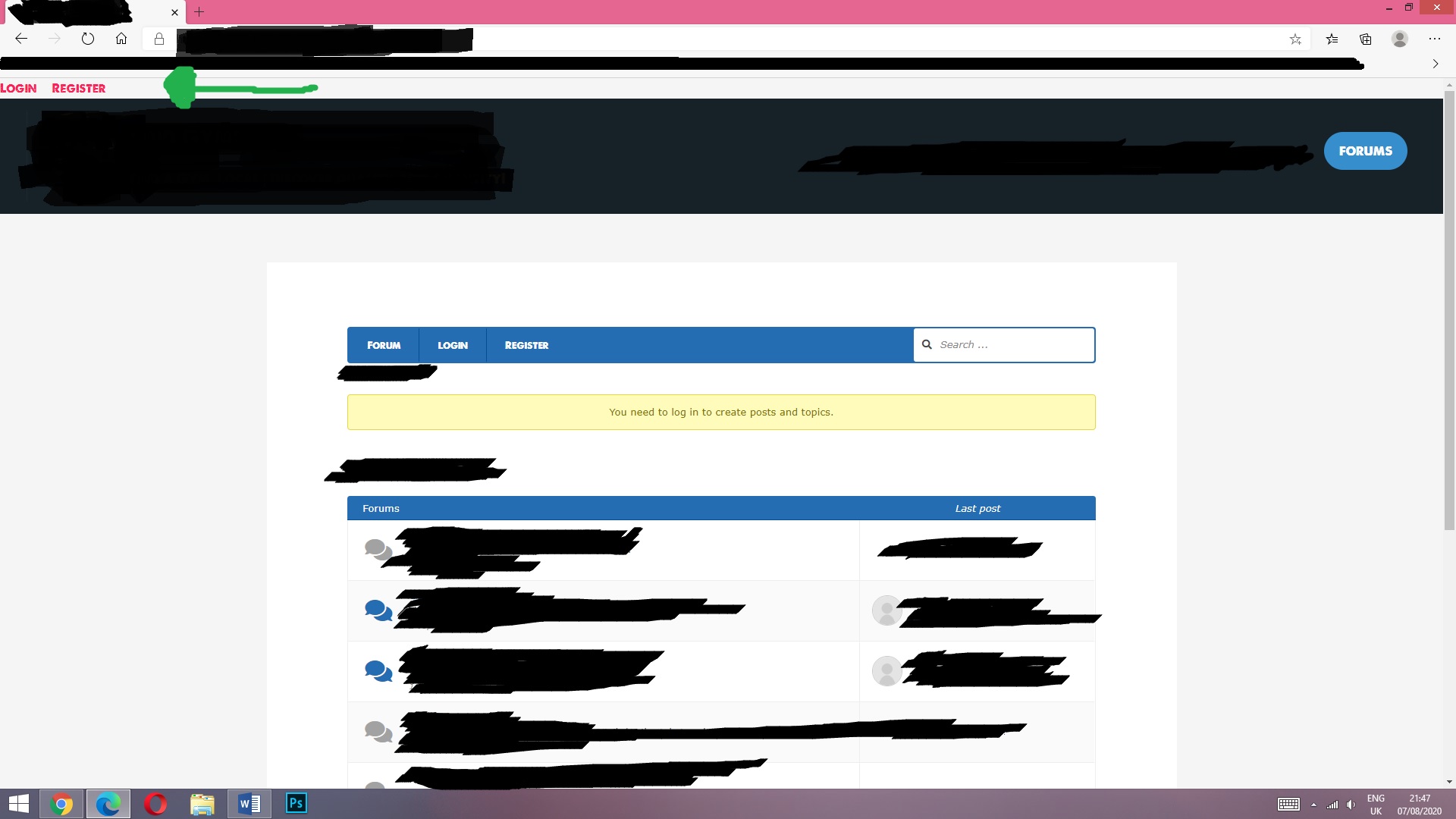

Quote from qualmy91 on August 8, 2020, 4:19 am@timmy321
Hey Timmy,
if you only copied the code from this Pull Request, it will definitely not work. This code needs also parts of the Pull Request form the Header Menu Filter.
If you are using some code from GitHub, I would always advise you to download tho whole project and upload it manually to your webserver. Just replace all the files in /wp-content/plugins/asgaros-forum/ with the new files.
But don’t worry. The next update will overwrite all your files.
Hey Timmy,
if you only copied the code from this Pull Request, it will definitely not work. This code needs also parts of the Pull Request form the Header Menu Filter.
If you are using some code from GitHub, I would always advise you to download tho whole project and upload it manually to your webserver. Just replace all the files in /wp-content/plugins/asgaros-forum/ with the new files.
But don’t worry. The next update will overwrite all your files.
Quote from timmy321 on August 8, 2020, 7:02 pmqualmy91, you sir are a genius!!
I can’t thank you enough for your information, I’ve learnt so much from delving deeper into your words and work 🙂 I now have that feature up and running on my site 🙂 It looks and works great!
I started off removing all the individual lines of code in the files in my webserver and replacing them with the changes that I could identify in GitHub, but then figured out a simple copy and replace of the whole folder is far easier, based off your advice! 🙂
I’m very impressed with yours and Asgaros’s patience levels writing all that code! (I’m an absolute noob to all this).
Great plugin again and excellent work!
Timmy
qualmy91, you sir are a genius!!
I can’t thank you enough for your information, I’ve learnt so much from delving deeper into your words and work 🙂 I now have that feature up and running on my site 🙂 It looks and works great!
I started off removing all the individual lines of code in the files in my webserver and replacing them with the changes that I could identify in GitHub, but then figured out a simple copy and replace of the whole folder is far easier, based off your advice! 🙂
I’m very impressed with yours and Asgaros’s patience levels writing all that code! (I’m an absolute noob to all this).
Great plugin again and excellent work!
Timmy

Quote from Lisa L on December 20, 2020, 10:37 pmQuote from Asgaros on August 4, 2020, 4:52 amHello @timmy321
I will include this enhancement in the next update which will be released latest next week.
Did this update happen? I’m having users say they’re not seeing “register” when on mobile.
Quote from Asgaros on August 4, 2020, 4:52 amHello @timmy321
I will include this enhancement in the next update which will be released latest next week.
Did this update happen? I’m having users say they’re not seeing “register” when on mobile.
Quote from qualmy91 on December 21, 2020, 3:44 amHey @lisalightner,
the feature is available since Version 1.15.6 of Asgaros Forum.
But it always depends on the settings that you have set and shows the same message for mobile and desktop. You have to show the register entry in your menu and allow users to register for WordPress to show the register message.
Do you have a link to your Forum?
Hey @lisalightner,
the feature is available since Version 1.15.6 of Asgaros Forum.
But it always depends on the settings that you have set and shows the same message for mobile and desktop. You have to show the register entry in your menu and allow users to register for WordPress to show the register message.
Do you have a link to your Forum?
Uploaded files: