
No edit tools, only for few users..

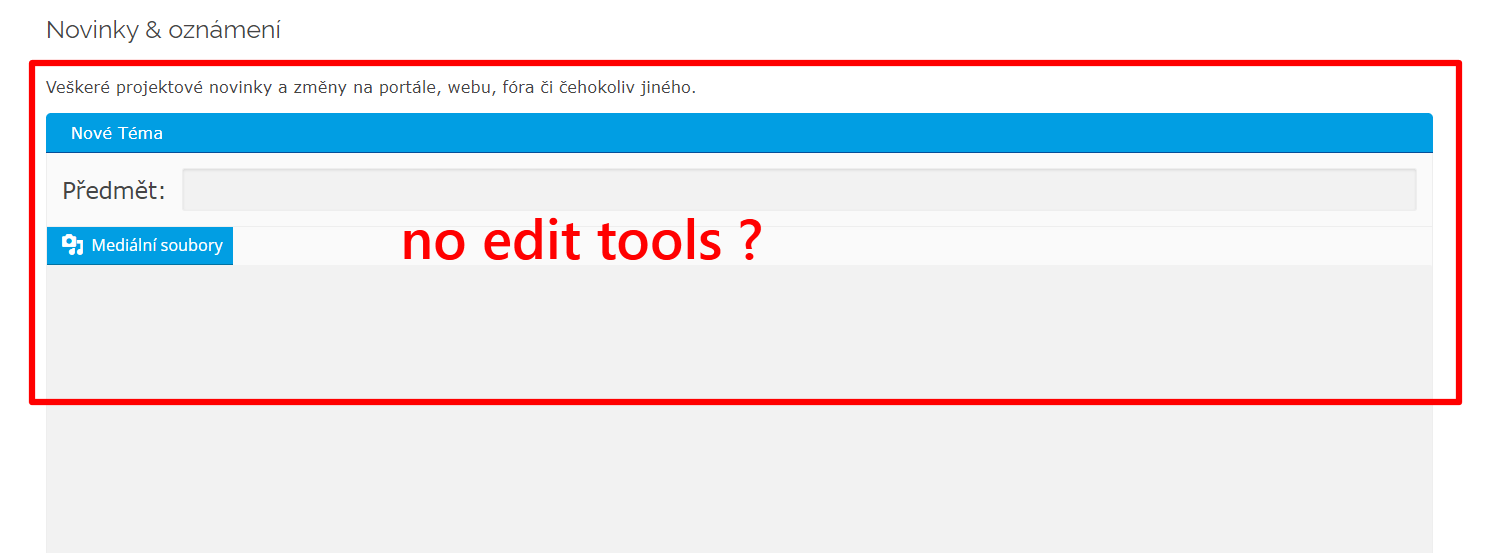
Quote from smtktom on June 24, 2020, 6:58 pmGreetings,I have such a problem. There are a few users in our large community at our Asgaros forum who have suddenly lost their editing tools when they want to create a new topic or reply. It happened sometime at the time when we tried some WP cache plugins (W3 total cache, etc ..) How to solve it if possible? Thank you and I attach the screen.
I have such a problem. There are a few users in our large community at our Asgaros forum who have suddenly lost their editing tools when they want to create a new topic or reply. It happened sometime at the time when we tried some WP cache plugins (W3 total cache, etc ..) How to solve it if possible? Thank you and I attach the screen.

Quote from qualmy91 on June 25, 2020, 8:30 amHey @smtktom,
it’s possible that some caching tools cause problems with the tinyMCE editor. Especially if you activate the function minify JavaScript, or similar.
Did all users have this problem while using the caching tools? If you want to use a caching plugin you have to deactivate the minification function. With W3 total cache there is a setting “Disable Minification for Logged in Users”. Just activate this and it should work.
But back to your actual problem. I guess that the users with the problem didn’t remove their cache. They should try to remove their cache and load the website again. After that it should work.
The simplest way is to reload the Cache for single page. This are the shortcuts to force the browser to reload the cache:
Windows: Ctrl + F5
Mac/Apple: APPLE + R or CMD + R
Linux: F5
Hey @smtktom,
it’s possible that some caching tools cause problems with the tinyMCE editor. Especially if you activate the function minify JavaScript, or similar.
Did all users have this problem while using the caching tools? If you want to use a caching plugin you have to deactivate the minification function. With W3 total cache there is a setting “Disable Minification for Logged in Users”. Just activate this and it should work.
But back to your actual problem. I guess that the users with the problem didn’t remove their cache. They should try to remove their cache and load the website again. After that it should work.
The simplest way is to reload the Cache for single page. This are the shortcuts to force the browser to reload the cache:
Windows: Ctrl + F5
Mac/Apple: APPLE + R or CMD + R
Linux: F5