
The problem with avatars

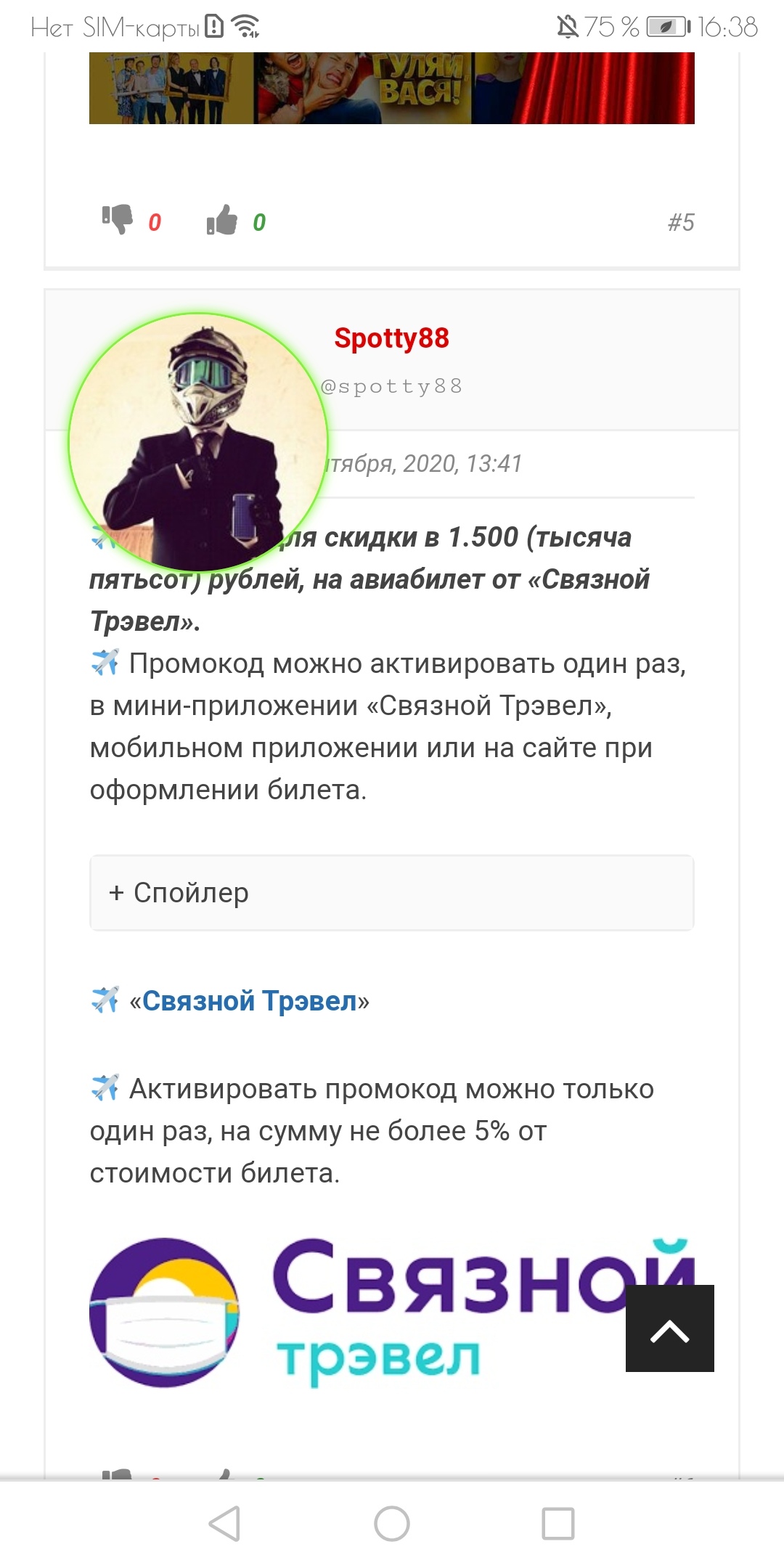
Quote from Spotty88 on September 23, 2020, 2:53 pmHello. There was a problem with avatars.
On the forum, from the mobile version, they are displayed incorrectly and cover a part of the text.
How can I fix this and reduce them within the forum?
I apologize in advance for possible mistakes, as write through a translator from Russian.
Hello. There was a problem with avatars.
On the forum, from the mobile version, they are displayed incorrectly and cover a part of the text.
How can I fix this and reduce them within the forum?
I apologize in advance for possible mistakes, as write through a translator from Russian.

Quote from qualmy91 on September 24, 2020, 5:31 amHey @spotty88,
can you please share the URL of your Forum that I can have a look? It seems like there is a CSS Style that overwrites the size of the Avatars.
Hey @spotty88,
can you please share the URL of your Forum that I can have a look? It seems like there is a CSS Style that overwrites the size of the Avatars.

Quote from Erenbur on September 24, 2020, 11:24 am@spotty88
Вот это скорее всего мешает:
element.style {
    height: 120px;
    width: 120px;
}
В настройках форума, раздел “внешний вид” проверь. Похоже, там жестко прописал размер аватара.
Вот это скорее всего мешает:
element.style {
    height: 120px;
    width: 120px;
}
В настройках форума, раздел “внешний вид” проверь. Похоже, там жестко прописал размер аватара.
Quote from Erenbur on September 24, 2020, 1:10 pmКороче.
1. Скорее всего у тебя в “Форум” -> “Внешний вид” прописано:
#af-wrapper .post-author img.avatar {
    height: 120px;
    width: 120px;
}
2. Заменяешь на:
@media (min-width: 783px) {
#af-wrapper .post-author img.avatar {
    height: 120px;
    width: 120px;}
}
3. Тащишься :)))
Короче.
1. Скорее всего у тебя в “Форум” -> “Внешний вид” прописано:
#af-wrapper .post-author img.avatar {
    height: 120px;
    width: 120px;
}
2. Заменяешь на:
@media (min-width: 783px) {
#af-wrapper .post-author img.avatar {
    height: 120px;
    width: 120px;}
}
3. Тащишься :)))
Quote from Spotty88 on September 24, 2020, 4:33 pmQuote from Erenbur on September 24, 2020, 1:10 pmКороче.
1. Скорее всего у тебя в “Форум” -> “Внешний вид” прописано:
#af-wrapper .post-author img.avatar {
    height: 120px;
    width: 120px;
}
2. Заменяешь на:
@media (min-width: 783px) {
#af-wrapper .post-author img.avatar {
    height: 120px;
    width: 120px;}
}
3. Тащишься :)))
Помогло, но внешний вид всё равно не очень стал…
Грешу на плагин для входа через соцсети, у них есть включение аватаров из соцсетей.
Отключил включение соц.аватарок, теперь всё видно корректно, но теперь надо что-то думать, чтоб у людей были аватарки.
Quote from Erenbur on September 24, 2020, 1:10 pmКороче.
1. Скорее всего у тебя в “Форум” -> “Внешний вид” прописано:
#af-wrapper .post-author img.avatar {
    height: 120px;
    width: 120px;
}
2. Заменяешь на:
@media (min-width: 783px) {
#af-wrapper .post-author img.avatar {
    height: 120px;
    width: 120px;}
}
3. Тащишься :)))
Помогло, но внешний вид всё равно не очень стал…
Грешу на плагин для входа через соцсети, у них есть включение аватаров из соцсетей.
Отключил включение соц.аватарок, теперь всё видно корректно, но теперь надо что-то думать, чтоб у людей были аватарки.
Uploaded files: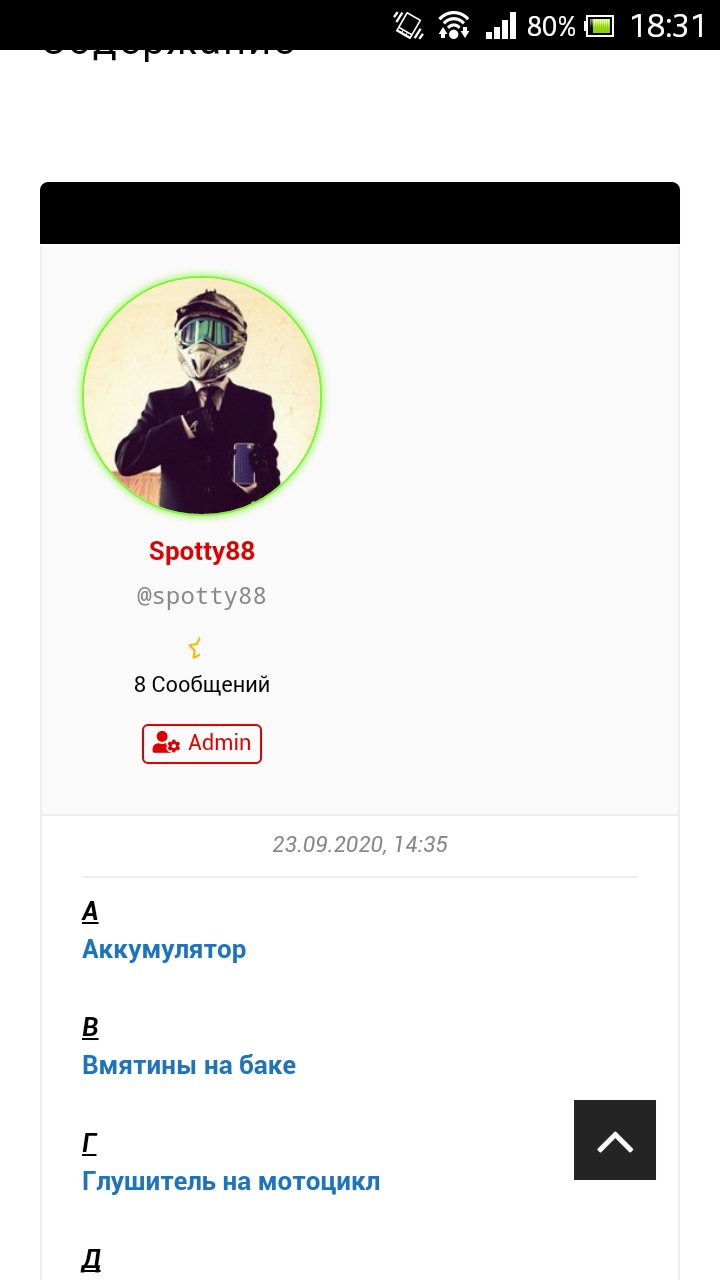
Quote from Erenbur on September 25, 2020, 12:19 pmСобственно, зачем тебе первый код вообще был нужен? Ты делал меньше размер аватара, когда он у Томаса был 130х130. Этим кодом ты его до 120 уменьшал. Теперь на форуме по умолчанию 120. Масло-масляное получается.
Собственно, зачем тебе первый код вообще был нужен? Ты делал меньше размер аватара, когда он у Томаса был 130х130. Этим кодом ты его до 120 уменьшал. Теперь на форуме по умолчанию 120. Масло-масляное получается.